
English documentation · runtime 7.24.4 · SDK 2.6.7. Content is maintained with runtime development; see each guide's scope and review date.
View Wiki evidence in a browser
Status: Active
Scope: current-state
Last reviewed: 2026-10-02
Owner: ax-code runtime
Run this command from a project that already has an AX Wiki:
ax-code wiki vizThe command prints a local browser link and stays in the foreground. Click the
link to explore the recorded relationships between Wiki pages and their source
files. Use --open to launch the system browser automatically. Press Ctrl+C to
stop the local viewer.
What you see
The lines are recorded citations, not function calls. These three pictures are AX Code’s own wiki. The same snapshot has four switchable layouts; arc and treemap are the other two and are not shown here.
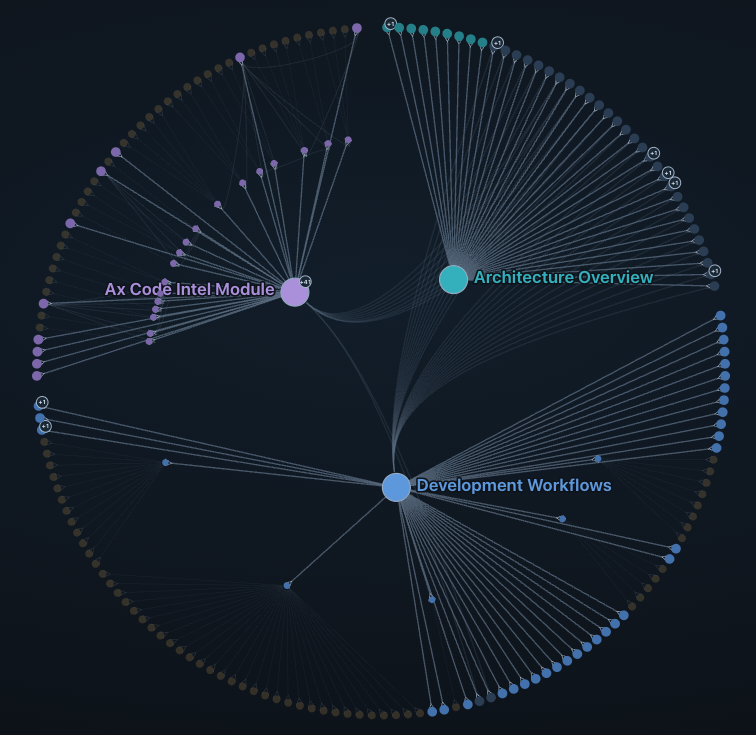
Radial. What surrounds each page? Architecture Overview, Development Workflows, and the Ax Code Intel module sit inside a ring of cited files. Cross-links bundle through the center. The ring is derived from each file’s first citing page. It does not encode distance or branch length.
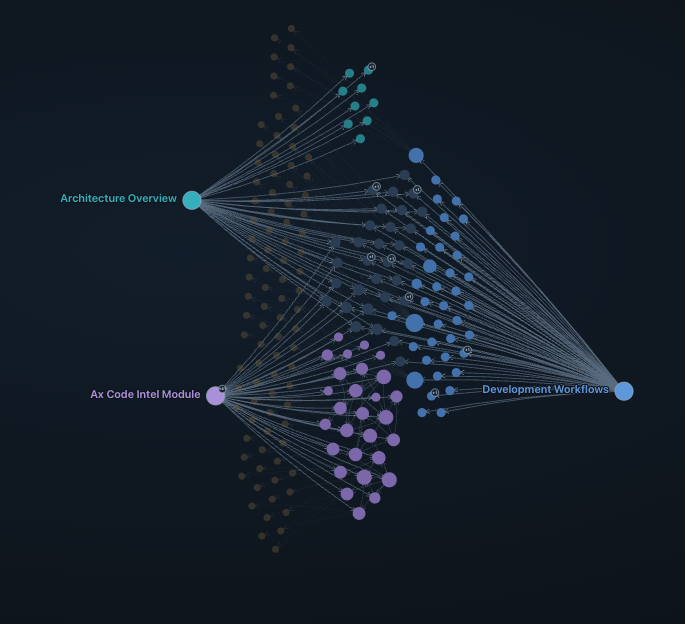
Force. Who cites what? Pages, files, and symbols are placed by their connections, so cited files gather next to the page that records them.
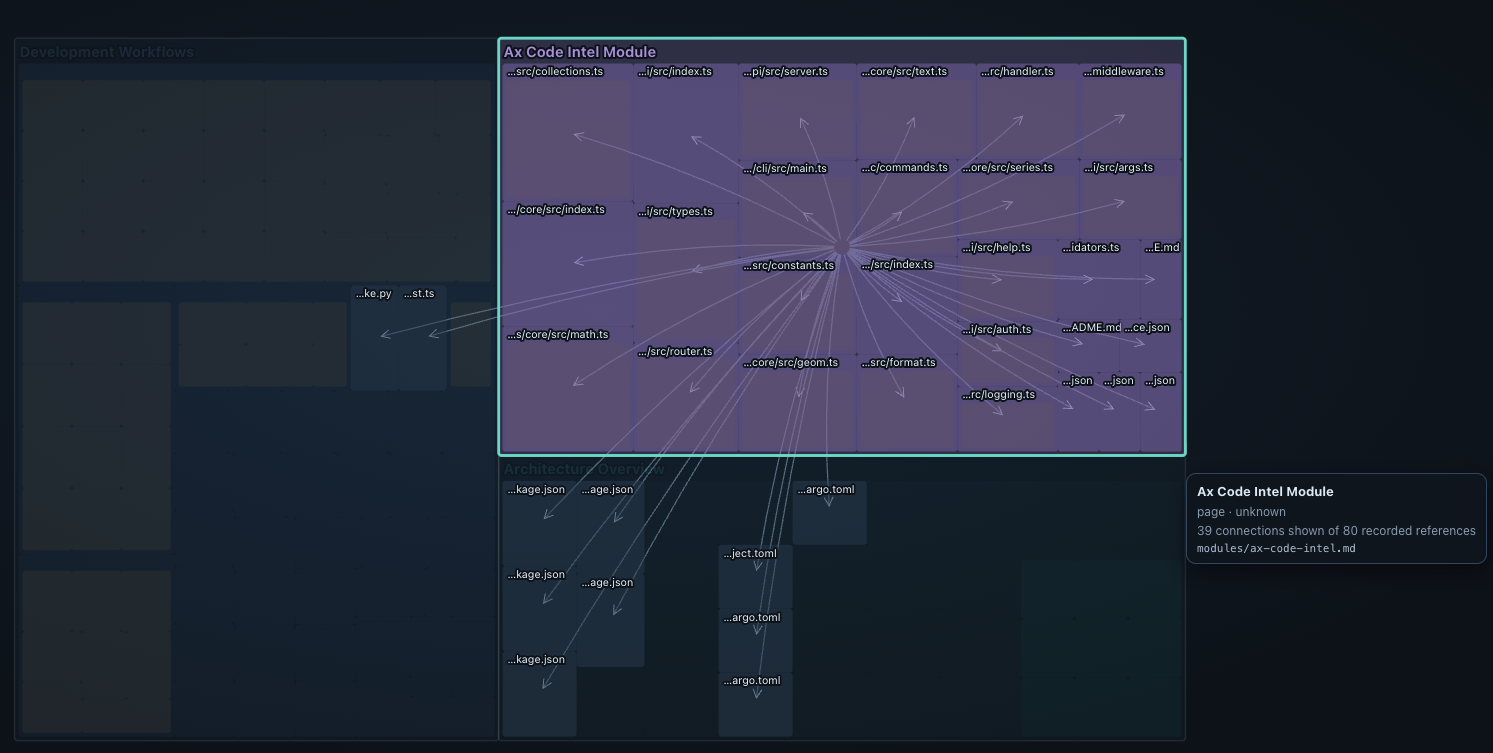
One page, opened. Selecting Ax Code Intel (modules/ax-code-intel.md)
lights the files that page cites, including its CLI, server, and handler
sources. The detail panel reports freshness as unknown, because the snapshot
does not re-read current source, and shows 39 of 80 recorded references. At
most 200 nodes and 500 relationships are drawn. Omitted counts stay visible.
ax-code wiki viz --open
ax-code wiki viz --directory /path/to/project --dir .ax-wiki
ax-code wiki viz --export ./wiki-evidence.html
--export creates a self-contained HTML file that opens offline, without AX Code,
a server, or external assets. It refuses to overwrite an existing file. Its parent
directory must exist. --open and --export cannot be combined.
The viewer supports search, page/source filters, one-hop selection, evidence details, and zoom/pan controls. The adjacent list works with the keyboard: Tab to an item and press Enter; Escape returns focus to search. Reset restores the overview. At most 200 nodes and 500 relationships are included, with omitted counts displayed. Search covers the included snapshot, not omitted items.
The CLI graph is a fixed snapshot of .manifest.json. It does not generate a Wiki,
run a model, reindex code, or automatically refresh. It shows recorded page-to-source
membership, not function calls or a complete dependency graph. Current source
contents are not read, so freshness is explicitly unknown. Paths identify recorded
locations and do not open or read source files.
The local link grants access to that snapshot until the process stops. The server
binds only to 127.0.0.1 and serves only the snapshot. Exported files contain page
titles, relative source paths, and recorded content hashes; review these before
sharing. No source snippets, absolute project root, or model settings are exported.
Open from the TUI
In a session, use Wiki graph near the project path at the bottom of the
right sidebar, or enter /wiki-viz. The same action is available in the command
palette when the sidebar is hidden. It opens the system browser; if that fails,
a dialog offers the local link for copying and a retry action.
The browser opens immediately, including when the project has no Wiki yet. It shows waiting, generation progress or failure and loads the page/source graph when a snapshot is available. Opening the graph requests generation or incremental update; it skips the normal idle delay but waits for active sessions, queued work and a nonempty TUI draft. A failed browser launch offers a copyable link.
Interactive AX Code enables background Wiki maintenance by default. After 30 seconds of quiet, it generates a missing Wiki or updates stale artifacts. It uses the configured Wiki model (or AX Code’s default model), source and page budgets, and current agent read/write permissions. Foreground work cancels maintenance; incomplete builds do not publish partial manifests. Manual edits and protected content are preserved. Maintenance does not update AGENTS.md or CLAUDE.md. Headless commands do not enable this scheduler.
Git projects use the canonical worktree root, including sessions started inside a package. Non-Git directories support an explicit graph request but do not generate on startup. Existing local-only runtime connection policy applies. Both the TUI and runtime must support these endpoints. Closing the TUI closes its browser bridge. The sidebar displays Wiki maintenance state and page progress.
Disable only background maintenance with "wiki": { "auto": false } in AX Code
configuration; an explicit graph request can still generate a Wiki. Set enabled
to false to disable generation and Wiki prompt injection. Existing snapshots remain
viewable. Failed jobs retry with backoff up to three automatic attempts, then wait
for a source/configuration change or an explicit graph request.
Embed in another project
The workspace packages can be built and packed for an independent consumer:
@ax-code/ax-wiki/graph supplies the browser-safe contract and manifest projection;
@ax-code/ax-wiki-viewer supplies the browser UI. Importing the viewer does not
start AX Code or a server.
import { projectWikiManifest } from "@ax-code/ax-wiki/graph"
import { mount } from "@ax-code/ax-wiki-viewer"

const graph = projectWikiManifest(manifest, { snapshot: contentIdentity })
const viewer = mount(document.getElementById("map")!, graph)
viewer.update(nextGraph)
viewer.dispose()
Use a host-produced content identity for snapshot. Changed identity clears the
selection. Invalid updates throw and preserve the existing view; disposing is
idempotent. Use { injectStyles: false } and the exported viewerCss string when
the host manages styles. Node hosts can import renderWikiGraphHtml from
@ax-code/ax-wiki-viewer/node; its result contains html and the matching csp.